Write a Direct3D12 application (1)

First, to build a Direct3D12 app, you need to include the Direct3D12 header files and link the library files. In the past, you could download something called the DirectX SDK and write the include and link settings in VisualStudio, Now it seems that the DirectX SDK is gone and is included in the Windows SDK.

So where is the Windows SDK? You can run an app called Visual Studio Installer, select it from the VisualStudio components, and install it.
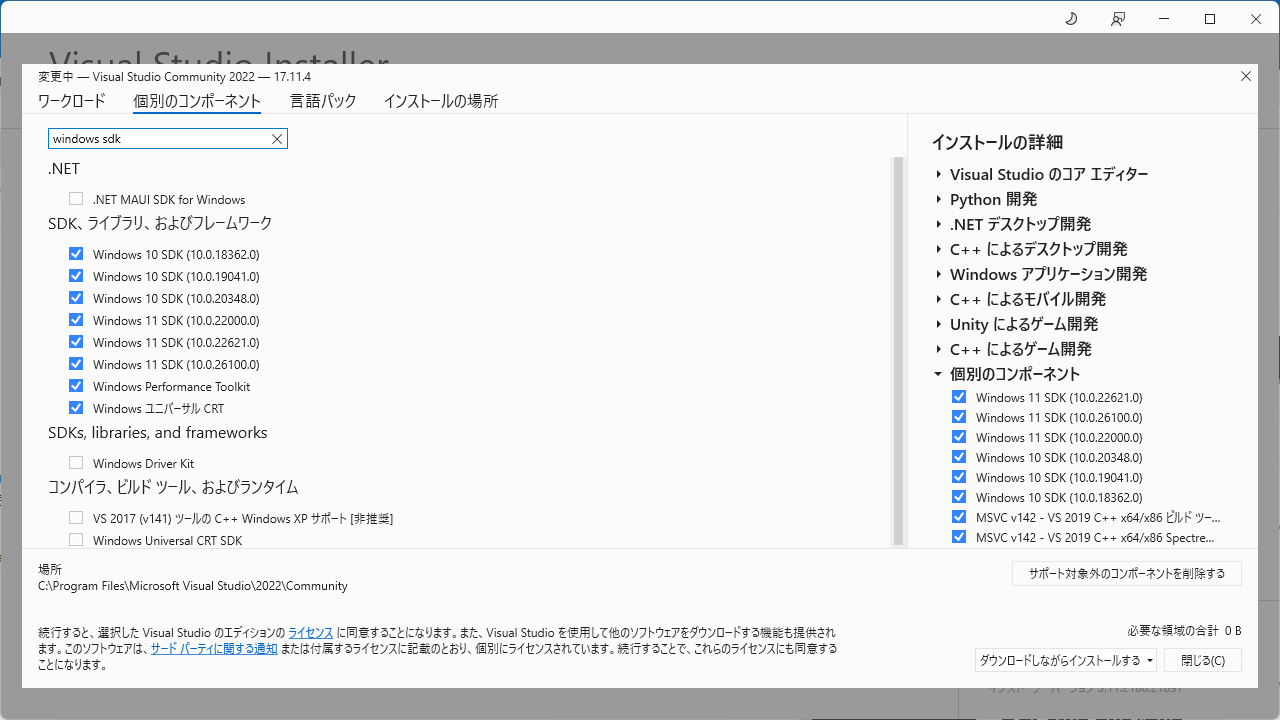
There are Windows 10 SDK and Windows 11 SDK, multiple versions, and you may not know which one to choose. If you are just building your own application, you only need to install the latest version. If you are building someone else’s program, it is safer to include the older version.

Creation of home page

First, I would like to summarize how to create this homepage before writing an article related to 3DCG.

This homepage is created using Hugo.

Since I am not familiar with web-based technologies, I thought I would use a CMS such as WordPress or MovableType to create the website. However, when I looked into it, it seemed difficult to have it customized in my own way, so I decided to use Hugo, which creates static pages from what I wrote in markdown. I chose a theme called Mainroad for now.

Hugo’s official page: https://gohugo.io/

Mainroad theme page: https://themes.gohugo.io/themes/mainroad/

Introduction.

Nice to meet you.

As this is my first article, I would like to introduce the author.

My name is Orimoto.

For many years I have worked as a 3DCG-related programmer in Tokyo and Osaka. From October 2024, I will be moving to Hiroshima to work full remote in the form of outsourced work, while writing this technical blog.

As for my background in game companies, I have mainly worked on Nintendo systems, including Nintendo64, GameCube, Wii, WiiU, 3DS, and Switch. More low-end than high-end, and I’ve done more work on development environments than on game development itself.